
By Carol Peters September 8, 2026
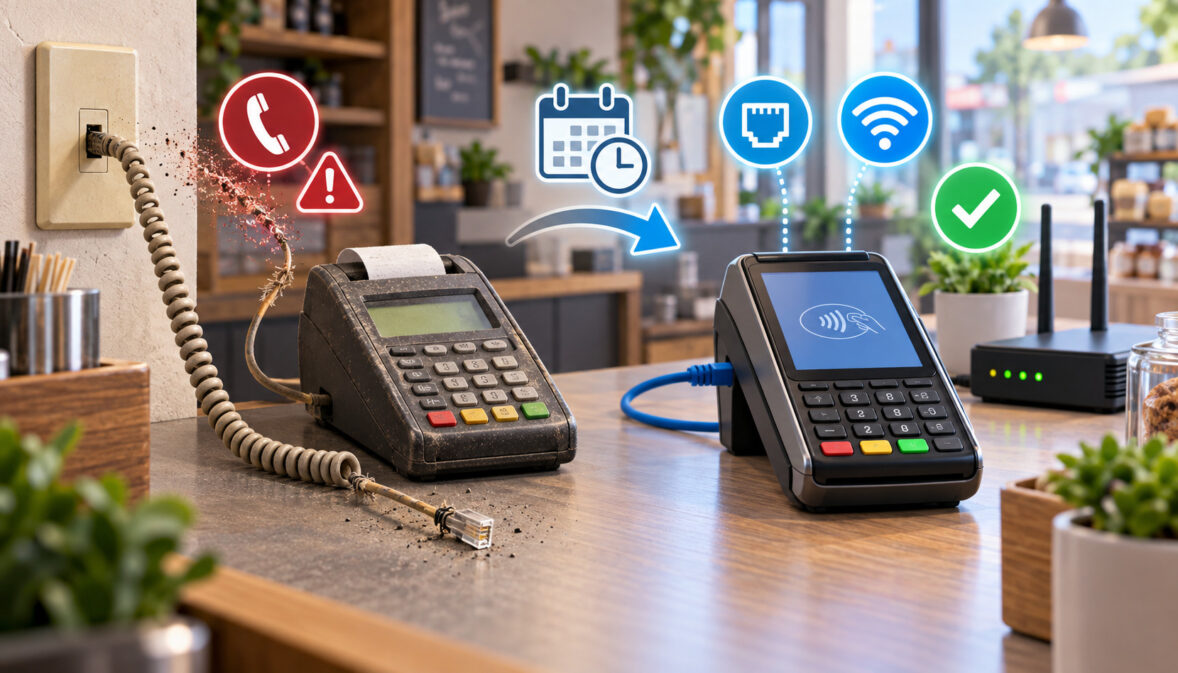
If your payment terminal still dials a telephone number before authorizing a card, copper-line retirement is no longer an issue you can safely leave for another year. But dial-up credit card machine replacement should not begin by ordering whatever new terminal appears inexpensive online.
First, identify exactly what you already have. Some older terminals are dial-only; others are dual-communication devices that have both an RJ-11 modem connection and Ethernet capability.
If your existing hardware, payment application, security configuration, and processor still support IP communications, moving the terminal to Ethernet may be possible without replacing it.
If the terminal really is dial-only, is no longer supported, cannot receive the processor’s current application or security configuration, or is physically failing, replacement becomes the better path.
The safest migration sequence is:
identify the old terminal → confirm dial-only or dual-comm capability → choose Ethernet, Wi-Fi, or cellular → have the processor provision the replacement → test it → close the old batch → move live transactions → verify funding → retire the POTS line.
The objective is not to promise zero downtime. It is to remove as many avoidable cutover risks as possible before the analog line fails.
How to Tell if Your Credit Card Machine Is Dial-Only or Dual-Comm
Before buying a dial-up credit card machine replacement, determine whether the existing analog phone line credit card machine actually requires replacement.
Start with the model number. It may be printed on a label underneath the terminal, on the rear housing, in a device-information menu, or on paperwork from the processor. Record the model, serial number, processor or acquirer, and any terminal ID displayed in reports.
Then inspect the connections.
An RJ-11 telephone jack is the smaller connector traditionally used for analog telephone lines. An RJ-45 Ethernet jack is wider and normally accepts a standard network cable. USB ports, serial connectors, power sockets, and proprietary accessory connectors should not be mistaken for Ethernet.
The presence of an RJ-45 jack is encouraging, but it does not prove that your current merchant configuration can process over IP. Hardware capability, installed payment application, processor certification, terminal parameters, and security configuration all matter.
Ingenico’s current Desk/5000 documentation illustrates why checking specifications matters: the manufacturer lists both a dial-up modem and 10/100 Ethernet among available connectivity, with Wi-Fi and cellular options also available depending on configuration.
| Feature | Dial-Only | Dual-Comm | What to Check |
| Telephone connection | Yes | Usually yes | Look for RJ-11/LINE connection |
| Ethernet connection | No | Yes | Look for LAN/Ethernet marking, not just a similar-looking port |
| Processor IP support | Not applicable | Must be confirmed | Ask processor whether your application can use IP |
| Software/configuration | Dial configuration | May support dial and IP | Processor or terminal-management profile determines actual use |
| Replacement required? | Usually, if POTS is being eliminated | Not necessarily | Confirm support before ordering hardware |
Look in the manufacturer’s manual for the exact model and hardware revision. Also check the terminal’s communication menu, but do not alter communication or security parameters simply to experiment.
Finally, call the processor’s terminal-support desk and ask a very specific question: “Is this exact terminal model and serial-number family supported on my merchant account over Ethernet?”
That question is much more useful than asking whether the terminal “has internet.”
If you need more background on the differences between terminal formats, this guide to choosing a credit card machine explains the main device categories and use cases.
Why POTS Line Retirement Is a Problem for Credit Card Terminals
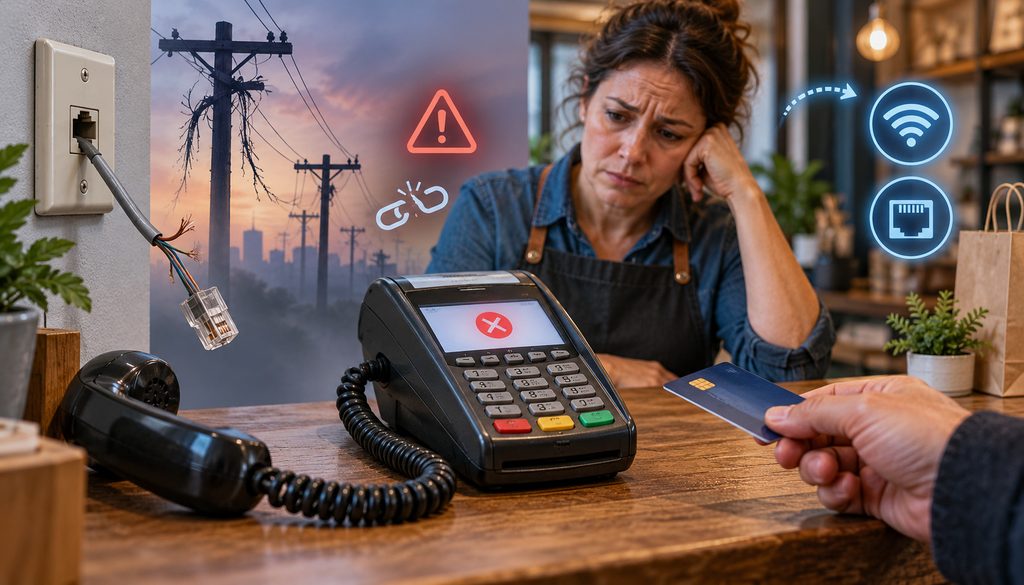
A POTS line retirement credit card terminal problem is fundamentally a dependency problem. Your merchant account may be functioning normally, the terminal electronics may be intact, and cards may still authorize, but every transaction depends on a legacy telephone path the carrier no longer wants to maintain indefinitely.
There is no single federal date on which every copper telephone line in the United States shuts off.
The FCC’s regulatory framework distinguishes between changes to network facilities—such as retiring copper—and discontinuing, reducing, or impairing a telecommunications service.
Section 251(c)(5) has historically operated as a notice-based framework for qualifying network changes, while discontinuance of covered services implicates separate Section 214 requirements. The FCC has also continued reviewing and streamlining those rules as carriers migrate toward newer networks.
In March 2025, the FCC’s Wireline Competition Bureau temporarily waived certain Commission filing requirements for network-change disclosures while preserving public-notice obligations through carrier websites, industry publications, or industry forums and certain direct notice obligations involving interconnected providers.
A July 2025 FCC proceeding subsequently proposed broader changes to these rules. That proceeding itself was a proposal—not a nationwide copper shutdown order.
The practical takeaway for a merchant is simpler: carriers are allowed to modernize their networks under applicable regulatory procedures, and copper retirement is already happening location by location.
AT&T, for example, updated its public copper-retirement support information in June 2026 and states that traditional copper-based service is being replaced with fiber technology in affected areas.
AT&T’s July 2026 investor materials also reported approvals involving legacy copper-service discontinuance in a portion of its wire centers, while describing a broader multiyear copper-exit strategy. Those are carrier-specific developments, not a deadline that applies to every business or every provider.
See the FCC’s current network-modernization proceeding and copper-retirement discussion for regulatory context.
Why the Old Phone Line Can Become a Business Risk Before Disconnection
Complete disconnection is only one failure mode.
Major carriers themselves now describe traditional analog infrastructure as aging and increasingly costly to maintain.
AT&T states that POTS service options are becoming less available and identifies outages, repair costs, and limited support as reasons businesses are migrating. Lumen has similarly described legacy POTS infrastructure as increasingly expensive and difficult to service.
That does not mean every copper line will deteriorate in the same way or on the same schedule. A functioning line may remain stable for some time.
The operational problem is uncertainty. A retailer whose terminal depends entirely on one analog line can be exposed to:
- rising service cost,
- intermittent line quality problems,
- longer or less predictable repair processes,
- carrier migration notices,
- or eventual service replacement.
If the only reason you still pay for an analog business line is one payment terminal, the dependency deserves review before an outage forces the decision.
Signs the Dial-Up Terminal Is Already Being Affected
A merchant searching “landline credit card machine stopped working” should not immediately conclude that copper retirement caused the failure.
Symptoms associated with communication trouble can include:
- repeated “NO LINE” or communication messages,
- repeated redial attempts,
- unusually long dialing or connection attempts,
- transactions that communicate intermittently,
- difficulty completing a settlement or batch close,
- communication that works at some times but fails at others.
However, three separate systems can produce similar symptoms: the terminal, the telecommunications path, and the processor host.
Start with non-destructive checks.
Confirm that the phone cable is seated correctly and that the physical cord has not been damaged. Determine whether the analog line has usable service with an appropriate telephone where doing so is supported. Check whether the processor has announced a host or network issue.
If another supported communication path exists on the terminal, processor support can help determine whether the problem follows the telephone connection or the payment device.
Do not factory-reset the terminal while an unsettled batch may still exist. Do not repeatedly reinstall applications or change host settings unless instructed by the processor.
Preserving the existing transaction state is more important than performing aggressive troubleshooting on a terminal that may already contain authorized sales.
Why a Dial-Up Terminal Over VoIP Is Not a Durable Fix
A common reaction to copper retirement is to connect the old terminal to an analog telephone adapter, or ATA.
The path then looks roughly like this:
dial terminal modem signal → ATA converts analog audio → IP packets cross a VoIP network → remote gateway reconstructs the audio → destination modem receives it
That works well enough for human speech because people can tolerate small imperfections. Modem communication is less forgiving.
Cisco’s current modem-over-IP documentation specifically identifies packet loss, delay, and jitter as factors affecting the suitability of an IP network for modem traffic.
Its modem-passthrough implementation also changes codec behavior, suppresses functions such as voice activity detection and echo cancellation, and uses special jitter handling because ordinary voice processing can interfere with modem signals.
That explains many dial-up terminal over VoIP problems without requiring a deep telecom diagnosis.
An ATA may work one day, fail during another batch, or behave differently after a gateway, codec, network, or carrier change. Successful authorization of several transactions is not proof that the arrangement will remain dependable.
An ATA can therefore be a workaround in a specific supported environment. It should not be treated as the preferred long-term migration strategy for payment processing when a terminal can communicate natively over Ethernet, Wi-Fi, or cellular service.
The important distinction is between transporting modem audio through an IP voice system and using a payment terminal designed to communicate directly over an IP or cellular payment connection.
Can You Convert a Credit Card Terminal to Ethernet?
Sometimes.
When merchants ask whether they can convert credit card terminal to Ethernet, there are two completely different situations.
The first is a dual-communication terminal whose hardware already contains Ethernet capability. In that case, “conversion” may simply mean changing the approved terminal communication profile from dial to IP after processor support confirms that the hardware and installed payment application support it.
The second is a dial-only terminal. Plugging an Ethernet cable into an adapter does not magically turn its modem into an IP payment terminal.
Before trying to retain the existing device, confirm all four conditions:
- The terminal hardware supports Ethernet.
- The processor/acquirer supports that model over IP.
- The installed payment application and terminal file support IP communication.
- A suitable business network connection is available at the checkout.
A manufacturer’s specification only answers the first question. The processor determines whether that specific hardware/application combination is deployable on your merchant platform.
This is why random used terminals are risky. Two devices with identical exterior model numbers may have different applications, encryption environments, hardware revisions, ownership restrictions, or processor configurations.
If all four conditions check out, changing communications can be cheaper and less disruptive than replacing healthy hardware.
If any critical condition fails, replacement is usually more sensible.
Ethernet vs. Wi-Fi vs. LTE for a Countertop Terminal
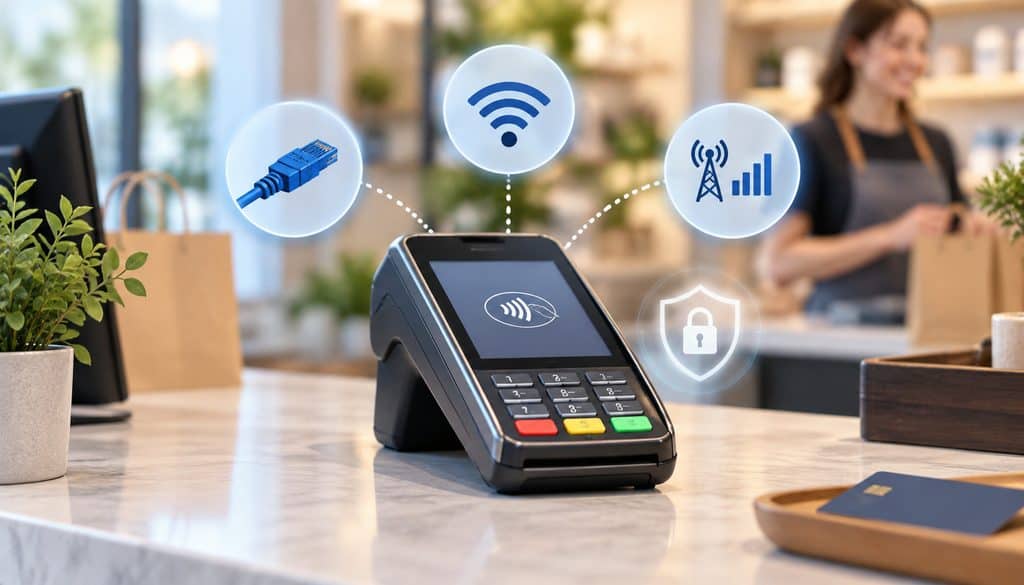
Once migration becomes necessary, connectivity matters more than brand familiarity.
For a fixed checkout counter, Ethernet usually deserves first consideration. It avoids dependence on Wi-Fi signal quality and does not require cellular coverage inside the building. Current countertop products such as Verifone’s T650c include LAN connectivity, while Ingenico’s Desk/5000 supports Ethernet as part of its connectivity portfolio.
Wi-Fi becomes attractive when running a network cable to the counter is impractical. Cellular is useful where fixed internet service is unavailable, for mobile use, or as a supported backup path.
| Connection | Best For | Main Strength | Main Risk | Backup Value |
| Ethernet | Fixed countertop near router/switch | Stable wired connection with little wireless variability | Cable/router/internet outage | Strong primary connection; backup requires another path |
| Wi-Fi | Counter without practical Ethernet drop | Flexible placement | Weak signal, SSID/password changes, router configuration | Good alternative when coverage is strong |
| LTE/4G/5G | Mobile sites, limited broadband, backup | Independent of local wired LAN | Indoor coverage, carrier outage, data/service cost | Often valuable where processor supports cellular fallback |
Ethernet Replacement
An Ethernet payment terminal connects directly to the business router or network switch.
For a fixed register, this is often the cleanest architecture: the terminal stays in one place, the wired network is stable, and there is no Wi-Fi password to change.
At a safe operational level, installation means connecting the processor-approved terminal to the appropriate business network, powering it up, and allowing its approved configuration to obtain or use the network parameters required by the device.
Many environments use DHCP, while some deployments use specifically configured settings. Follow processor and manufacturer documentation rather than disabling firewall protections or experimenting with security controls.
Wi-Fi Replacement
A Wi-Fi terminal can be perfectly suitable when the checkout counter has strong, reliable coverage.
Test the actual checkout position—not the office beside the router. A signal that is excellent three rooms away may not behave the same way behind refrigerators, metal shelving, masonry, or other equipment.
Use a properly secured business wireless network rather than an open public network. PCI SSC’s merchant guidance specifically recommends protecting wireless routers with authentication and encryption and maintaining secure network configuration.
Also test what happens after the router restarts. A terminal that works during installation but fails to reconnect after the next power interruption is not migration-ready.
For a broader comparison of fixed and wireless equipment, see how to choose the right payment terminal.
LTE or Cellular Replacement
Cellular terminals are useful when the business lacks dependable broadband, processes away from a fixed counter, or wants an independently routed backup.
PAX’s current A920Pro, for example, lists 4G, Wi-Fi, Bluetooth, contactless, EMV chip, magstripe, and an integrated printer.
Do not assume cellular automatically beats Ethernet. Building materials, local tower conditions, congestion, and carrier coverage all affect performance.
Test signal at the actual payment location and run transactions during normal operating conditions. If the device supports more than one communication path, ask the processor exactly how failover behaves rather than assuming switching is automatic.
When You Need a New Terminal Instead of a New Connection
The decision is not “old equals replace.”
It is “can this device still be safely and correctly supported for the job?”
| Terminal Condition | Keep/Reconfigure? | Replace? | Reason |
| Dual-comm, healthy, processor-supported | Often | Maybe not | Existing terminal may be moved to Ethernet |
| Dial-only | No practical IP conversion | Usually | No native modern connection |
| Processor will not board/reprovision model | No | Yes | Hardware capability alone is insufficient |
| Unsupported application/security environment | Usually no | Yes | Secure supported deployment takes priority |
| Worn keypad/printer or intermittent hardware | Poor candidate | Usually | Migration money is better spent on replacement |
| No contactless and replacement is already required | Possible, but weak case | Often | Modern replacement can add current acceptance methods |
| Used model with uncertain lock/key status | Uncertain | Often | Compatibility must be resolved before purchase |
PCI SSC advises merchants and acquirers to use its approved-device listings when selecting secure payment hardware and notes that expired PTS approvals require discussion with the merchant’s acquirer or relevant payment brand. PCI also emphasizes verifying that terminals and installed applications remain supported by vendors and that applicable updates are maintained.
That does not mean PCI SSC itself requires every old terminal to be replaced immediately. It means support status and security posture belong in the replacement decision.
If you are already replacing the hardware, select something that supports current EMV chip and contactless acceptance rather than buying another device whose useful life is constrained by obsolete connectivity.
Merchants comparing manufacturers can also review this Verifone vs. Ingenico terminal comparison.
What to Ask Your Processor Before Buying Hardware
Call the processor before ordering the terminal.
Use this checklist:
- Is my current terminal IP capable?
- Is this exact model and hardware revision still supported?
- Can you reprovision my existing device for Ethernet?
- Which replacement models are currently certified on my processing platform?
- Which models support contactless?
- Which support Ethernet, Wi-Fi, or cellular on my specific processor configuration?
- Can the terminal operate standalone or must it integrate with my current POS?
- Will a terminal purchased elsewhere be accepted?
- Is the terminal locked or restricted to another processor/application?
- Which encryption environment does my account require?
- Who performs payment-key injection?
- Is key injection included in the quoted hardware price?
- Does the terminal arrive programmed?
- Is shipping included?
- Is there a warranty?
- Are there monthly connectivity or software fees?
- If cellular is used, who supplies and bills the data service?
- How will final batch settlement on the old terminal be handled?
This prevents one of the most common migration errors: buying hardware first and asking compatibility questions afterward.
How the Processor Sets Up the Replacement Terminal
A modern payment terminal is not normally ready for your merchant account merely because it powers on.
The processor, acquirer, deployment provider, or authorized terminal-management environment must associate the device with the correct payment application and merchant configuration.
Verifone documents centralized device management for deploying applications, parameters, software updates, and keys. Ingenico’s Estate Management platform similarly provides software provisioning, parameter management, application downloads, and remote key injection within supported deployments. Fiserv publicly describes its merchant-equipment offering as including programming and key injection.
Terminal File Build and Download
What processors often call a “terminal build,” “file,” “profile,” or “download” can include the merchant-specific configuration required for the terminal to communicate correctly.
Depending on platform and application, the configuration may incorporate items such as:
- merchant account identification,
- terminal identification,
- processor host information,
- supported transaction types,
- card acceptance settings,
- receipt parameters,
- settlement behavior,
- communication settings,
- application versions.
The terminology differs among processors, so do not treat “file build” as one standardized industry procedure.
The merchant’s role is generally to provide or confirm the correct business, device, and network information and follow approved activation instructions. Security-sensitive host or application parameters should not be manually improvised.
Verifone’s current field-services description, for example, states that installation can include connecting the device, downloading configuration information from a terminal-management system, initializing the terminal, and validating that the MID/TID loaded to the device is correct.
There is no defensible universal statement that this “takes ten minutes” or “takes one day.” Configuration preparation, boarding queues, hardware availability, shipping, connectivity, and individual processor workflows vary.
Key Injection
Key injection is the controlled loading or establishment of cryptographic keys needed for secure payment functions such as PIN processing and encrypted transaction environments.
It is not a DIY merchant task.
PCI’s standards include lifecycle and key-management controls for payment devices and cryptographic systems. Approved deployment programs may use a Key Injection Facility or controlled remote-key-injection process.
Fiserv’s P2PE instructions, for example, expressly restrict deployment to approved sources and warn merchants not to purchase devices for that solution from unauthorized key-injection facilities.
Ingenico’s current estate-management platform lists remote key injection as a managed capability, and Verifone’s device-management documentation includes controlled deployment of keys with software and parameters.
The merchant should not attempt DIY payment key injection.
Do not open the terminal, load unofficial software, manually flash firmware, or use undocumented tools to force compatibility.
Test Transaction
A successful replacement test means more than seeing APPROVED.
Run a small live transaction using the processor’s recommended procedure. Confirm:
- correct merchant name on receipt,
- correct terminal/location identification,
- correct transaction amount,
- chip/contactless behavior,
- receipt printing or digital receipt behavior,
- transaction appearance in the processor portal or report.
Where processor procedures allow, a controlled void or refund test may also be appropriate.
Most importantly, connect the test to reconciliation. A transaction can authorize successfully but later encounter a settlement, boarding, or funding problem.
How Long the Migration Actually Takes
There is no universal migration duration.
Separate the job into components instead of relying on a salesperson’s single estimate.
| Step | Merchant Action | Processor/Vendor Action | Typical Variable |
| Identify hardware | Record model/serial/ports | Confirm support | Finding exact hardware revision |
| Select connectivity | Check network/cellular environment | Confirm supported configuration | Site infrastructure |
| Order device | Approve hardware | Supply/ship equipment | Inventory and shipping |
| Build terminal profile | Confirm business settings | Board MID/TID and application | Processor workflow |
| Security preparation | None beyond approved activation | Key injection/RKI as required | Platform/security environment |
| Application/configuration | Connect and follow instructions | Push or provide approved download | Connectivity and TMS |
| Installation | Connect device | Remote or onsite support | Network readiness |
| Test | Run controlled transaction | Trace/validate transaction | Host and account configuration |
| Final old-device close | Stop old sales and settle | Confirm settlement if needed | Open-batch state |
| Funding verification | Compare reports/deposit | Research exceptions | Funding calendar and reconciliation |
Hardware selection might be immediate while shipping takes longer. A terminal may arrive quickly but still require boarding. Another processor may ship the device preconfigured.
Treat the cutover date as the date on which all prerequisites are proven—not simply the package delivery date.
How to Switch Without Losing a Day of Sales
Reducing downtime depends on overlap.
Do not cancel the old POTS line because the replacement terminal has shipped. Do not unplug the existing machine just because the new one powers on.
Before Cutover
Complete as much work as possible while the existing terminal still functions:
- Confirm the new terminal is processor-certified.
- Have the processor build the correct profile.
- Complete approved application/configuration deployment.
- Complete approved key loading where required.
- Connect Ethernet, Wi-Fi, or cellular service.
- Run a controlled live test.
- Confirm the transaction appears under the correct merchant and terminal.
- Train staff on sale, void/refund, receipt, and settlement procedures.
- Confirm a supported backup acceptance method.
Cutover Day
Choose a lower-volume period where possible.
Run the old terminal normally until the planned stopping point. Then stop taking new sales on it.
Perform and verify its final settlement according to the existing processor’s procedure. Save the batch report.
Move new transactions to the replacement. Run another controlled transaction if appropriate, verify the receipt, and confirm the processor can see it.
After Cutover
Do not consider the project finished at “APPROVED.”
Verify that the new terminal’s first settled transactions reconcile to the processor’s deposit information and ultimately the expected bank account.
Retain the old terminal and telephone service until you have enough evidence that the replacement path is operating correctly and the processor has confirmed the old terminal has no batch requiring action.
Only then schedule cancellation of the legacy line.
This sequence cannot eliminate every possible outage, but it substantially reduces avoidable cutover risk.
What Happens to Unbatched Transactions on the Old Device?
This is the most important reason not to unplug, wipe, return, or factory-reset an old payment terminal too early.
Card transactions move through stages. Authorization and settlement are not the same event.
Depending on the terminal application and processor architecture, transactions may be represented in an open local or host-managed batch awaiting settlement. Different systems manage batch data differently, so no single description applies to every terminal.
What matters operationally is that an open batch must be accounted for before decommissioning the device.
If you destroy its configuration, lose communication, or return it while transactions remain unresolved, you can make reconciliation much harder. Staff may know that customers received approvals, yet the merchant may have incomplete information about what was actually closed and transmitted.
How to Run the Final Settlement
Use the current processor’s instructions for the exact terminal.
A safe closeout workflow is:
- Stop taking new transactions on the old terminal.
- Run or verify the final batch settlement.
- Print or save the final batch report.
- Confirm that the processor accepted the settlement.
- Record the batch number, date, amount, and terminal ID.
- Retain key receipts or transaction references needed for reconciliation.
- Verify the resulting deposit later.
- Only after processor confirmation should the device be reset, returned, recycled, or otherwise decommissioned.
| Action | Why It Matters | Record to Save |
| Stop new sales | Creates a clean cutoff | Cutover time |
| Run/verify settlement | Closes the old activity | Settlement response |
| Print batch report | Preserves evidence | Batch report |
| Record batch ID/amount | Supports processor tracing | Batch number and total |
| Confirm processor receipt | Shows batch reached expected system | Portal/support confirmation |
| Verify deposit | Completes reconciliation | Deposit date/amount |
| Decommission later | Prevents premature loss of data/configuration | Return/RMA or retirement record |
If your terminal normally auto-settles, confirm whether a manual close is necessary before pressing settlement commands. Processors configure batch behavior differently.
What to Do if the Phone Line Dies First
Do not panic and do not factory-reset the terminal.
Call processor support and explain that the legacy communication path has failed while the terminal may contain an open batch.
Ask support to determine:
- whether the batch is still open,
- whether transactions are visible host-side,
- whether the terminal can communicate through another officially supported interface,
- whether the existing model supports Ethernet,
- whether an approved alternate communication method can be enabled,
- and what recovery process applies if local transactions remain.
A dual-comm terminal may have a processor-supported recovery path through Ethernet. A dial-only terminal may require a different procedure.
Do not improvise a modem-over-VoIP workaround in the middle of batch recovery unless your processor specifically supports that configuration.
Terminal Approved but Batch Failed
Individual authorization success does not guarantee that a later settlement completed.
If a batch fails, preserve:
- approval code,
- receipt,
- amount,
- transaction date/time,
- terminal ID,
- batch report,
- batch number where available.
Those identifiers allow processor support to distinguish an authorization, capture, settlement, and funding issue.
Do not simply rerun customer cards because money is missing from the bank.
That can create duplicate charges.
Do Not Re-Run a Sale Just Because Communication Timed Out
A timeout is not the same as a decline.
The terminal may have transmitted enough information for the processor to approve a transaction while failing to receive or display the final response. The same issue can occur on old dial equipment and on modern IP connections.
Before running the card again:
- Check the terminal’s transaction report.
- Check the processor portal if available.
- Search by amount, time, and card reference permitted by your system.
- Contact processor support if status remains uncertain.
- Reattempt only after establishing that another captured transaction will not create a duplicate.
This practice is especially important during migration because staff may interpret every unfamiliar communications message as evidence that the new device failed.
Build a Backup Before Retiring Dial-Up
Your new primary connection should not be your only continuity plan.
Possible processor-supported backup paths include:
- a cellular terminal,
- a supported mobile card reader,
- a secondary internet connection,
- a multi-communication terminal,
- an approved offline capability where the processor and terminal specifically support it.
Do not create your own offline card-recording process or bypass processor authorization controls.
For mobile-device context, the site’s existing guide on adopting mobile payment options can supplement this section, but the backup should still be confirmed with the processor before the old line is retired.
What a Modern IP Credit Card Terminal Costs
Current hardware prices vary materially based on processor compatibility, encryption, whether the terminal is new or refurbished, software configuration, accessories, support, and whether cellular connectivity is included.
The most useful approach is therefore to look at current, observable examples rather than inventing a nationwide average.
At the time of this research in September 2026:
- AND Processing lists a PAX A80 at $249.
- Terminal Source lists a new PAX A80 at $264, with encryption handled as a separate configuration item.
- A Dejavoo reseller currently lists a PCI 6 Z8 Wi-Fi model at about $247.94, while MerchantEquip lists a Z8 Ethernet/Wi-Fi unit at about $272.98.
- Cellular-capable Dejavoo Z9 listings currently appear around $438.95–$514.98, depending on seller/configuration.
- Current PAX A920Pro examples range from $500 at one distributor to $544 through another current hardware listing.
These are retail/listed examples, not promises of the price your processor will charge.
| Terminal Type | Current Observed Hardware Examples | Connectivity | Best Fit |
| Basic modern countertop | About $249–$264 in current PAX A80 listings | LAN; options vary by configuration | Fixed countertop |
| Ethernet + Wi-Fi/contactless countertop | Roughly $248–$399 across current Z8/A80 listings | Ethernet, Wi-Fi, NFC depending on build | Counter where wired or wireless may be used |
| Cellular-capable terminal | Roughly $439–$544 across current Z9/A920Pro examples | Cellular plus Wi-Fi and/or Ethernet depending on model | Mobile use or supported backup |
Do not buy based on this table alone.
Global Payments, for example, currently lists a PAX A80 developer test device at $260 and explicitly identifies its connectivity options as configurable, including LAN, Wi-Fi, dial, and optional cellular. A developer test device is not necessarily a merchant-ready production device, which illustrates exactly why price and model number alone are insufficient.
The question to ask is: What does a correctly programmed, encrypted, processor-compatible, warrantied device cost for my merchant account?
That number may include programming, key injection, shipping, accessories, software, cellular service, or other charges that a bare hardware listing does not include.
Repairing Legacy Dial Equipment vs. Replacing It
The least expensive repair invoice is not necessarily the least expensive decision.
Compare the entire dependency:
Keep legacy dial terminal
= phone-line service
- maintenance exposure
- printer/keypad repairs
- replacement parts
- processor support risk
- communications risk
- eventual migration cost.
Replace with supported IP terminal
= hardware
- programming/deployment
- possible installation
- optional network or cellular service
- migration effort.
Do not insert a national “average POTS bill” into the calculation. Analog-line pricing varies by carrier, jurisdiction, contract, taxes, service type, and location.
Instead, pull the actual amount from your latest telecom invoices.
If you are paying for an entire analog business line solely to support one old card machine, multiply that recurring cost by the period you realistically expect to keep the terminal. Add any planned repair and replacement-part costs.
Then compare that figure with a properly configured modern terminal.
AT&T and Lumen both currently market POTS-replacement services around the reality that aging analog infrastructure can be expensive and more difficult to maintain, reinforcing the need to evaluate the recurring dependency rather than just the terminal purchase price.
Buying a Processor-Compatible Replacement Terminal
A credit card terminal is not interchangeable consumer electronics.
Before buying one from a reseller, marketplace, auction, former business owner, or liquidation sale, obtain the exact model and configuration and send it to your processor for approval.
Confirm:
- exact model,
- processor certification,
- supported payment application,
- hardware revision,
- PCI/PTS status as applicable,
- lock or ownership restrictions,
- required encryption environment,
- ability to receive the processor’s application,
- ability to receive approved key loading,
- available communication modules.
PCI SSC encourages merchants and acquirers to consult its approved PTS device listings when evaluating payment devices.
Current Fiserv P2PE deployment instructions go further for that particular validated solution: they tell merchants to obtain covered Ingenico devices through approved channels rather than purchasing arbitrary devices online or from an unapproved key-injection facility.
The exact restriction depends on your processing solution, but the lesson applies broadly: processor approval must come before hardware purchase.
Used and Refurbished Terminals
A refurbished terminal can be economical when it comes from an approved source and the processor confirms support.
Risks include:
- obsolete firmware,
- expired or aging security approvals,
- unknown tamper history,
- processor-specific lock state,
- incompatible encryption,
- unsupported payment application,
- missing power/network accessories.
A current reseller, for example, lists a refurbished Dejavoo Z8 tri-communication terminal for $195. That lower number is meaningful only if the merchant’s processor can actually board and securely deploy that particular device.
Never treat “factory reset” as a compatibility solution.
Buying vs. Leasing
Replacement hardware can be obtained through:
- outright purchase,
- processor-supplied equipment,
- rental,
- financing,
- long-term lease.
Compare the full contract cost rather than the monthly number alone.
For a purchase, ask who owns the device and whether programming or warranty service is included.
For a lease or rental, review term length, total payments, return requirements, replacement rights, early termination provisions, and whether the equipment obligation continues separately from the merchant-processing agreement.
There is nothing inherently wrong with every equipment lease. The problem is evaluating a multiyear obligation as though the monthly payment were the total price.
Security Considerations During the Migration
Replacing communications does not reduce the need for physical and operational payment security.
PCI SSC states that payment terminals remain part of the merchant’s cardholder-data environment according to the applicable architecture and should be reviewed for secure configuration, supported software, protection of transmitted account data, and physical tampering or substitution.
For the new terminal:
- buy through a processor-approved or otherwise authorized path,
- inspect packaging before deployment,
- verify the model and serial number,
- inspect the device for signs of tampering,
- allow firmware/application updates only through approved channels,
- protect administrative credentials,
- keep wireless networks secured,
- maintain an inventory of payment devices,
- periodically inspect deployed terminals for substitution or modification.
PCI DSS Requirement 9.5 includes controls around maintaining a current device list, periodic inspection, and staff awareness of tampering and substitution.
Do not manually flash firmware to make a marketplace terminal work. Do not attempt unsupported encryption changes.
The migration is a good time to remove years of undocumented terminal history and establish a clean inventory record.
Keep the Migration File
Create a small migration record and keep it with your merchant-processing documentation.
Record:
- old terminal make/model,
- old serial number,
- old terminal ID,
- final old batch number,
- final old batch amount/date,
- copy of final settlement report,
- new terminal make/model,
- new serial number,
- new terminal ID,
- processor deployment/support ticket,
- date new application/configuration was completed,
- test-transaction reference,
- go-live date/time,
- first new settlement total,
- first verified deposit,
- date POTS service was canceled,
- disposition of old equipment.
This may feel excessive until something fails.
If the first deposit does not match, the record tells support which device, terminal ID, batch, and transaction to investigate. If the processor later asks when the terminal was changed, you have an answer instead of reconstructing the migration from memory.
What to Do if the New Terminal Does Not Fund Correctly
Do not immediately rerun sales.
Start reconciliation.
Compare:
- the individual test transaction,
- the terminal’s batch or settlement report,
- the terminal ID,
- the processor portal,
- processor settlement/deposit records,
- the expected bank account.
An approved transaction with no expected deposit can involve several different stages: the transaction may not have settled, a batch may have failed, the terminal may have been boarded under an unexpected identifier, or the funding question may simply require reconciliation against the correct processor deposit.
Preserve evidence before taking corrective action.
A customer should not be charged twice simply because the merchant cannot yet see the money in the bank.
Common Dial-Up Terminal Migration Mistakes
Most failed migrations are not caused by the concept of Ethernet, Wi-Fi, or cellular processing. They are caused by sequencing.
| Mistake | Why It Causes Problems | Better Approach |
| Assuming the old terminal is dial-only | Merchant may replace usable dual-comm hardware unnecessarily | Verify model, ports, manual, and processor support |
| Buying hardware before compatibility approval | Device may be locked, unsupported, or incorrectly encrypted | Get processor certification first |
| Treating an ATA as permanent migration | Modem-over-IP can remain sensitive to packet/network behavior | Move to native IP/cellular processing |
| Canceling POTS when new hardware ships | New terminal may still need provisioning or troubleshooting | Cancel only after tested production cutover |
| Factory-resetting old terminal immediately | May complicate unresolved batch recovery | Close and document the batch first |
| Ignoring the old batch | Authorized transactions may be difficult to reconcile | Run/verify final settlement |
| Testing only for “APPROVED” | Authorization does not prove settlement/funding | Validate portal, batch, and first deposit |
| Buying an unsupported used terminal | Cheap hardware can become unusable hardware | Obtain processor approval before purchase |
| No backup connection | Single new failure path replaces single old failure path | Establish a processor-supported backup |
| No staff training | Employees may duplicate sales or mishandle timeouts | Train before cutover |
Practical Dial-Up Credit Card Machine Replacement Workflow
Use this sequence as the migration plan.
- Record the current terminal make and model.
- Record the serial number and terminal ID.
- Identify RJ-11, Ethernet, and other ports.
- Check manufacturer documentation for Ethernet capability.
- Ask the processor whether the existing model remains supported.
- Decide between communication-only change and full replacement.
- Choose Ethernet, Wi-Fi, or cellular based on the actual checkout environment.
- Confirm the proposed replacement is certified for your processor/account.
- Order the approved hardware.
- Have the processor/acquirer build or assign the correct merchant terminal profile.
- Complete the approved application/configuration download.
- Have encryption/key requirements handled through the approved processor, deployment service, KIF, or remote-key-injection process.
- Connect the device to its production network.
- Run a controlled live test transaction.
- Verify receipt information and processor visibility.
- Prepare a processor-supported backup payment path.
- Stop new transactions on the legacy dial terminal at the planned cutoff.
- Run or verify the final old-terminal settlement.
- Save the batch report, total, date, and batch identifier.
- Move normal sales to the replacement.
- Verify the first new-terminal settlement and deposit.
- Retain migration records.
- Decommission or return the old terminal according to processor instructions.
- Cancel the legacy POTS service only after the new processing path is stable.
That is the core dial-up credit card machine replacement workflow: validate first, provision second, cut over third, retire last.
Dial-Up Credit Card Machine Replacement Checklist
Before calling the copper-line migration complete, verify:
- Identify terminal model.
- Record terminal serial number and TID.
- Check dial-only versus dual-comm capability.
- Confirm current processor support.
- Check Ethernet capability before replacing the device.
- Confirm the installed payment application supports the intended connection.
- Choose Ethernet, Wi-Fi, or cellular.
- Confirm replacement hardware is processor-certified.
- Verify EMV and contactless requirements.
- Confirm whether externally purchased hardware is acceptable.
- Confirm encryption/key-injection requirements.
- Get processor provisioning completed.
- Complete approved terminal software/configuration download.
- Complete key loading through the approved provider/process where required.
- Inspect the new device for tampering.
- Connect it to the secured production network.
- Run a live test sale.
- Verify merchant and receipt configuration.
- Confirm the transaction appears under the correct terminal/account.
- Keep the old terminal available during the transition.
- Stop new sales on the old device before final close.
- Run or verify the final old batch.
- Save the final batch report.
- Record the final batch number/date/amount.
- Move production sales to the new device.
- Verify the first new settlement.
- Verify the expected deposit.
- Keep a processor-supported backup payment method available.
- Decommission the old device only after the processor confirms it is safe to do so.
- Cancel POTS only after stable processing is confirmed.
- Archive old/new device and migration records.
Frequently Asked Questions
How do I know if my credit card terminal is dial-only?
Check the exact model number, rear ports, manufacturer manual, communication menu, and processor-support records. A dial-only terminal normally has an RJ-11 telephone connection without usable Ethernet capability. Do not decide based solely on how the terminal is currently connected.
Can an old dial-up credit card machine use Ethernet?
Some can. Older dual-communication terminals may include both modem and Ethernet hardware. The processor must still confirm that your terminal’s application and merchant configuration support IP processing. A dial-only terminal cannot become an Ethernet terminal merely by changing the cable.
What does POTS retirement mean for a payment terminal?
It means the traditional analog telephone facility the terminal relies on may be replaced or retired as the carrier modernizes its network. The merchant should evaluate a native Ethernet, Wi-Fi, or cellular path before the legacy connection becomes unavailable or impractical.
Is the FCC shutting off all copper phone lines?
No. There is no single FCC date requiring every copper line nationwide to disappear. Carriers transition facilities and covered services through applicable regulatory processes, and the timing differs by carrier and location.
Why does my landline credit card machine keep losing connection?
Possible causes include the terminal itself, cabling, analog-line quality, or the processor host. Preserve open transactions and call processor support before resetting the terminal or repeatedly rerunning sales.
Can I run a dial-up terminal through a VoIP adapter?
It may work in some supported environments, but modem-over-IP traffic is sensitive to delay, jitter, packet loss, compression, and related voice-network processing. Treat an ATA as a compatibility workaround, not the preferred permanent payment architecture.
Why do dial-up terminals have batch problems over VoIP?
Authorization and settlement both require communication. A modem session transported through VoIP can be affected by packet-network conditions even when several earlier calls worked. A batch may therefore encounter communication problems despite successful individual transactions.
Is Ethernet better than Wi-Fi for a countertop card terminal?
For a fixed counter with accessible wired networking, Ethernet often deserves first consideration because it removes Wi-Fi signal variability. Wi-Fi can still be an appropriate solution where running cable is impractical and the business wireless network is secure and reliable.
Should I use LTE as my primary or backup connection?
Either can be appropriate. LTE can be valuable where fixed broadband is unavailable or as an independently routed backup, but performance depends on signal and processor configuration. Test coverage at the actual checkout.
Does my processor have to program the new terminal?
A terminal normally requires a processor/acquirer-approved payment application and merchant configuration before production use. Depending on the platform, provisioning may be completed before shipment, through a terminal-management system, remotely, or during installation.
What is terminal key injection?
It is a controlled process for loading or establishing cryptographic keys needed for secure payment functions. It must be performed through approved facilities or remote-management processes. Merchants should not attempt DIY key injection.
What happens to transactions still in the old terminal’s batch?
They need to be reconciled and settled according to the existing processor’s procedure. Do not wipe or dispose of the terminal while an open or uncertain batch remains.
Should I settle the old terminal before unplugging it?
Yes, unless your processor gives different instructions for your specific auto-settlement environment. Stop new sales, verify the final settlement, save the report, and confirm the batch before decommissioning.
How much does a modern IP credit card terminal cost?
Current September 2026 listings show many conventional countertop models in roughly the mid-$200 range, while Wi-Fi and cellular configurations can cost more.
Current cellular-capable examples reviewed for this article were roughly in the $439–$544 range. Processor programming, key injection, service, shipping, accessories, and compatibility can materially change the final price.
Can I buy a used terminal and connect it to my existing processor?
Possibly, but get processor approval first. The model may have an unsupported application, wrong encryption, expired security approval, processor lock, unknown tamper history, or incompatible hardware revision.
Conclusion
Copper retirement should trigger a controlled terminal migration, not a rushed equipment purchase.
Start by identifying the existing device and confirming whether it is genuinely dial-only. A healthy dual-communication terminal that remains processor-supported may be able to move directly to Ethernet without immediate replacement.
If the terminal is dial-only, unsupported, physically worn, or cannot receive the processor’s current application and security configuration, a modern IP terminal is usually the better long-term path. For a fixed checkout counter, Ethernet often deserves first consideration; secure Wi-Fi and cellular service can be appropriate where the site or backup strategy calls for them.
An ATA may temporarily transport modem traffic across a VoIP network, but it does not remove the limitations of maintaining a dial-dependent payment system.
Most importantly, sequence the cutover correctly. Provision and test the replacement before retiring the old path. Stop new transactions on the legacy device, settle and document its final batch, move production sales, verify the new settlement and deposit, and only then remove the POTS dependency.
That sequence gives a merchant the best chance of replacing an aging phone-line terminal without turning a telecom transition into a payment-processing emergency.