
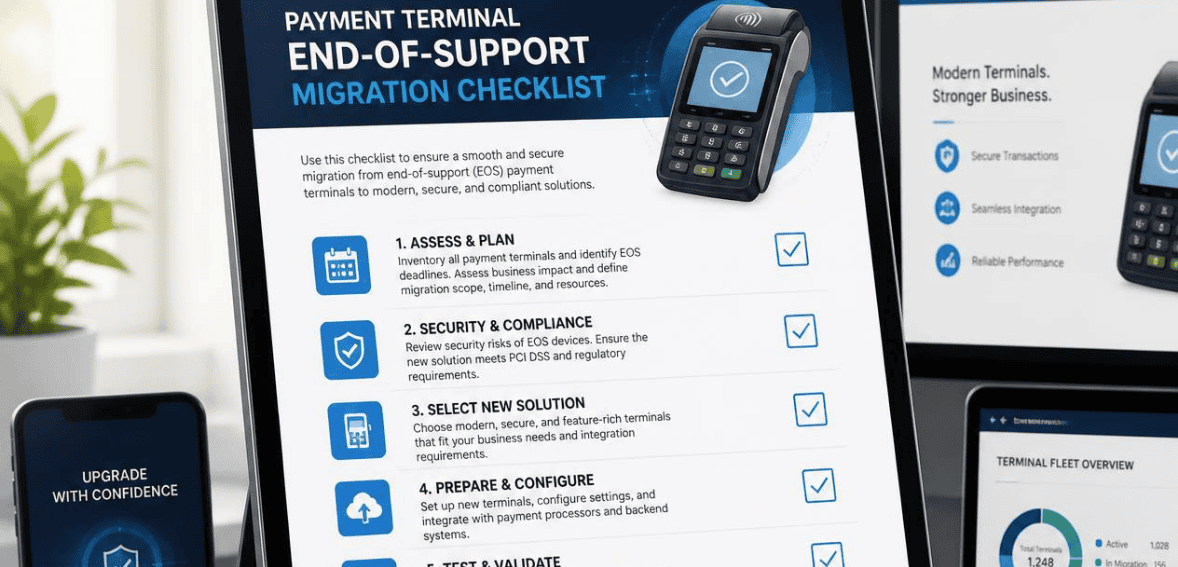
Your card reader still powers on. It still swipes, dips, and taps. So why did your provider just send a notice about “end of support”? Here is the uncomfortable truth: a payment terminal that works is not the same as a payment terminal that is safe or compliant. When your hardware hits payment terminal end of support, the clock starts ticking on your security, your PCI compliance, and eventually your ability to accept cards at all.
For many US merchants, this will become an immediate concern, as several popular models of terminals will hit their end of support in 2026 and 2027. If you own a small shop, migrating to a new terminal mostly just means a project to undertake on the weekend. However, if you oversee hundreds of terminals and you ignore the expiration date, you’ll end up dealing with a costly migration and lots of unplanned work for compliance. This checklist has everything you need for planning a migration after a payment terminal end of support period, so that it can be stress-free and easy.
What “Payment Terminal End of Support” Really Means
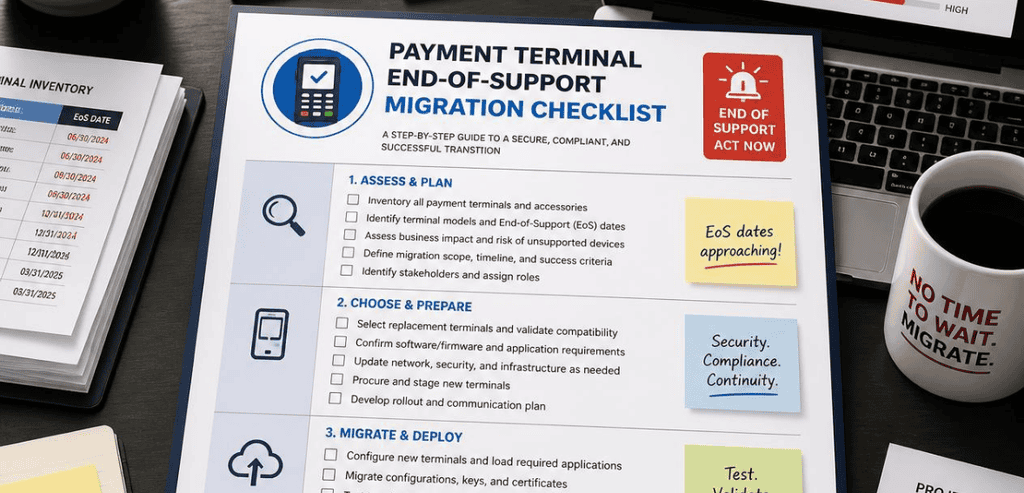
Payment terminal end of support is the point when the manufacturer stops backing a device model. That means no more firmware updates, no more security patches, and eventually no repairs or spare parts. The device may keep processing transactions for a while. But it stops receiving the protection it needs to stay secure.
This lifecycle relates to a security standard known as PCI PTS (PIN Transaction Security). The PCI Security Standards Council establishes these guidelines. Every terminal sold in the United States is certified against a particular version of PCI PTS, and every version has a published expiration date. After this date, the terminal is no longer certified, even though it may still operate as normal.
Consider it a driver’s license analogy. You can still drive a car, but you aren’t legally authorized to drive it, and the repercussions of that will fall upon you if you are stopped by a police officer for driving without a valid license.
Why Ignoring Payment Terminal End of Support Is Risky
It is tempting to keep using old hardware. It works, it is paid for, and replacing it costs money. But running past end of support exposes your business to real damage.
Security and Fraud Exposure
After a terminal’s end of life, the manufacturer stops providing support for that terminal. This includes updates for new security threats. Unfortunately, fraud techniques become more advanced over time. Attack methods, including skimming and tampering, are evolving. An unprotected terminal, and therefore your system, cannot stop new criminal methods of attack. There are ways your customers’ data can be attacked and exposed. This can even become very bad publicity for your business.
PCI Compliance and Breach Liability
This is where payment terminal end-of-support hits your bottom line. Using expired hardware can push you out of PCI DSS compliance. That opens the door to fines from your acquirer and the card networks. Worse, if a data breach happens through an unsupported terminal, you assume the liability. In any forensic investigation, the fact that your devices were running past their PCI PTS certification date will stand out immediately. It becomes a clear signal that basic security hygiene was ignored.
Understanding the PCI PTS Lifecycle
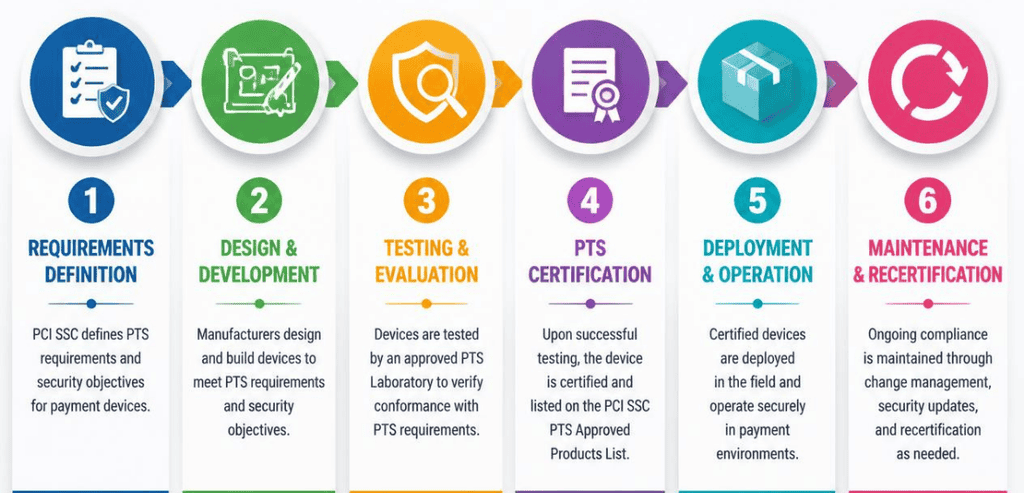
To effectively prepare for a migration, you must understand the PCI PTS lifecycle. Payment terminals, like other products, go through product life cycle stages after launch. Payment terminals go through many stages after the end-of-sale announcement. The buy and ship windows follow the end-of-sale announcement. The end-of-support phase occurs roughly five to six years after the first PCI approval of the product.
Currently, the industry is shifting regarding the different versions of PCI PTS. Payment terminals that have been certified with PCI PTS v4 have largely been phased out. The following version, PCI PTS v5, is currently in the market, and many v5 models have been and continue to be restricted from sale while manufacturers roll out newer models. Following recent Council extensions, v5 terminals are approved to transact into 2027. PCI PTS v6 is the safest and most future-proof version of the hardware, as it is currently approved to transact into 2031.
One thing to note, and what typically catches many businesses off guard, is that the PCI Security Standards Council will not make an effort to inform you that your terminal is about to expire. They will not contact you directly, but rather, will publish a notice listing approved devices and a watch date. It is your responsibility to track this information. The most critical action a merchant can take to prepare is to monitor the devices they have against the PCI SSC device listings.
The Payment Terminal End-of-Support Migration Checklist
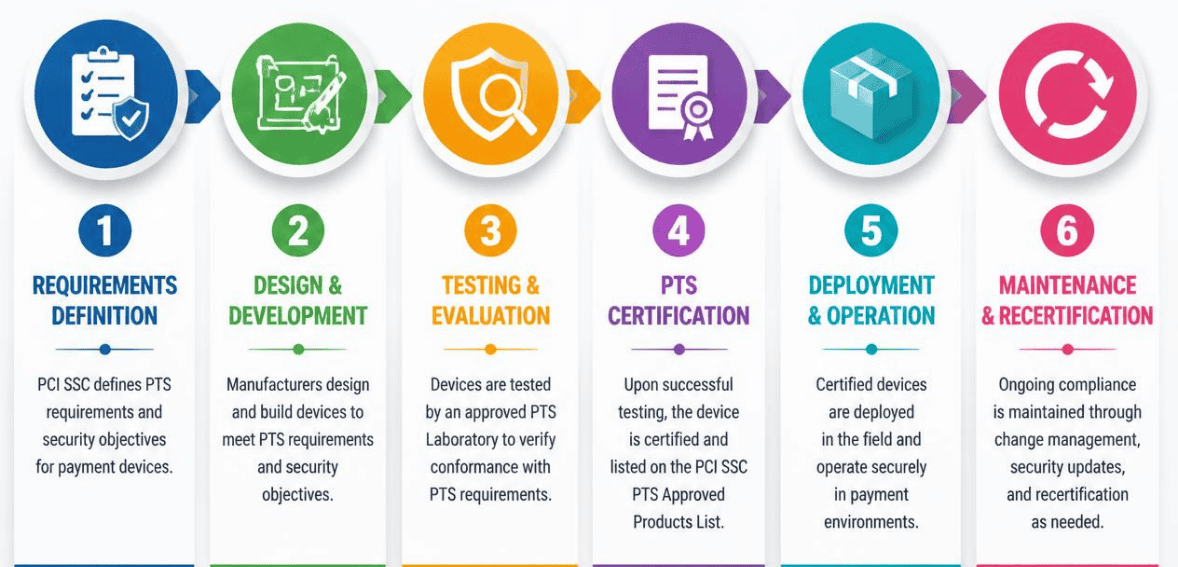
Here is the practical part. Follow these stages in order, and your migration will stay organized and calm.
Take a Full Inventory of Your Hardware
Documenting your terminals is the first step. This includes verifying terminal make, model, part number, PCI PTS version, and location. This terminal list should include all countertop terminals, mobile readers, PIN pads, and unattended kiosks. You cannot migrate what you cannot see. This is the first step, and often the most valuable, because it includes all of the terminals previously forgotten that are still in use.
Confirm Every Expiration Date
Next, you want to compare your devices to the official PCI approval list. Identify which terminals expire this year, which expire next year, and which terminals have already expired. This will help you organize your fleet by how urgent the situation is. The terminals that have expired will be the top priority. The terminals that are expiring in the near future will be a part of your near-term plan. This will help you create a plan and a timeline, instead of just having a general concern.
Talk to Your Processor and Acquirer Early
Reach out to your payment processor and acquiring bank before any purchases. It’s important that your payment processor is certified for the terminal you are purchasing. Not all processors support all devices. It is important to ask your payment processor about supported models, their integration, tokenization, saved payment methods, and recurring billing. If you ask these questions from the start, it minimizes the risk of surprises coming up during the rollout.
Choose the Right Replacement Terminals
Now select your new hardware. Aim for the latest PCI PTS version available so it remains useful for the longest time. Think about how your business takes payments. Do you need contactless and mobile wallet acceptance? Do you need point-of-sale integration or other connectivity? Or, perhaps, you need a portable device for tableside service? If you make a buying decision based on the cheapest terminal, you will most likely have to buy another terminal soon. The best approach to terminal investment is to buy the terminal that best complements your business workflow, because it is most likely that you won’t have to replace it anytime soon.
Plan the Rollout and Test Before Go-Live
Don’t do an across-the-board upgrade. The goal is to have new terminals gradually rolled out with the old terminals running in conjunction. After setting up the new hardware, perform test transactions. Ensure the new terminals process refunds, voids, tips, and settlements. During the overlap, should an issue arise, the new terminals can be reverted while the issues are being resolved. It is best to perform staff training on the new terminals during off-peak hours.
Handle Data, Tokens, and Old Hardware Safely
Finally, close the loop. Migrate stored tokens and saved card credentials through a secure, PCI-compliant process so recurring billing continues without interruption. Then dispose of retired terminals responsibly. These devices can hold sensitive information, so wipe them properly and use a certified recycling or return program. Document the whole migration for your compliance records.
Major Terminal Brands and Their End-of-Support Timelines
Different manufacturers manage their lifecycles differently. Here is a look at three names US merchants encounter most.
Verifone
Verifone is one of the leading terminal manufacturers in the U.S. Models like the VX520 from the PCI PTS v3 range are now out of date and out of support. The MX 900 range is also out of support. Newer product ranges would be the Engage and Victa, which, traditionally, is where Verifone pushes their customers. If you are using older Verifone terminals, and especially Verifone terminals deployed before the 2015 EMV shift, it is time to consider upgrading.
Ingenico
Ingenico is also a giant in the space and has some models with end-of-support dates in 2026. Their Move/5000, Desk/1500, some Lane devices, and some Desk series devices will no longer be supported in this time frame. Ingenico typically advises users to update to the newer certified revisions or to the Axium platform. Since these dates are all close together, it is a good idea for all Ingenico users to get their device fleets in order sooner rather than later.
Stripe Terminal
Stripe has a software-led approach with its Terminal SDKs. As a consequence, Stripe is deprecating older mobile SDKs, too. From January 2027, any integrations built on older SDKs will be unable to communicate with Stripe readers. Stripe attributes this to security and compliance, and there will not be any time extensions. If you implemented any of Stripe’s Terminal solutions, your migration will be both a hardware migration and a software migration.
Common Mistakes to Avoid During Migration
Businesses stumble on the same obstacles repeatedly. The most notable is waiting until the last minute to prepare for a contract expiration. A last-minute rush to order terminals that may already be in short supply will leave you with no time to run tests and having to pay inflated prices due to the rush. A second common error is a merchant assuming that just because they have a working terminal, they have a compliant terminal. Function and compliance are two different aspects.
Some merchants will also forget to check their merchant processor’s certification, only to find that their new terminal will be useless and unable to connect. There are also merchants who forget to plan for token migration, which can disrupt a merchant’s subscription billing. Planning can eliminate every single one of these problems.
Conclusion
Payment terminal end-of-support is not a scare tactic from your provider. It is a real deadline with real consequences for security, compliance, and your ability to keep taking payments. The good news is that migration is entirely manageable when you approach it with a plan. Inventory your fleet, verify expiration dates against the official PCI list, loop in your processor early, choose future-proof hardware, and roll it out in tested phases.
Treat your next terminal migration as routine maintenance rather than an emergency. Start the process months before your devices expire, and you will avoid the fines, the supply crunches, and the breach exposure that catch unprepared businesses. Your customers get a smooth checkout, and you get peace of mind. That is a trade worth making early.
Frequently Asked Questions (FAQs)
Can I keep using a payment terminal after its end-of-support date?
Yes, the device can keep processing transactions for a time. However, when a device stops receiving security updates, it increases the chance of losing PCI compliance. Any breaches that occur through a terminal that is no longer supported would make you liable. It is not a savings to keep using the terminal; it is a liability risk.
How do I find out when my payment terminal reaches end of support?
Check your device model and PCI PTS version against the official PCI Security Standards Council-approved device list. Your acquirer or processor may also flag expirations on your merchant statement. The council does not notify you directly, so the tracking responsibility is yours.
How long does a payment terminal usually last before end of support?
Most terminals stay supported for about five to six years after their original PCI approval date. The exact timeline depends on the model and its PCI PTS version. Choosing the newest certified version gives you the longest usable lifespan.
What is the safest hardware to buy during migration?
Look for terminals certified under the latest PCI PTS version, currently v6. These devices offer the longest security runway and the most current protection against fraud. Pair that choice with a processor that is certified to support the model, and you are set for years.